
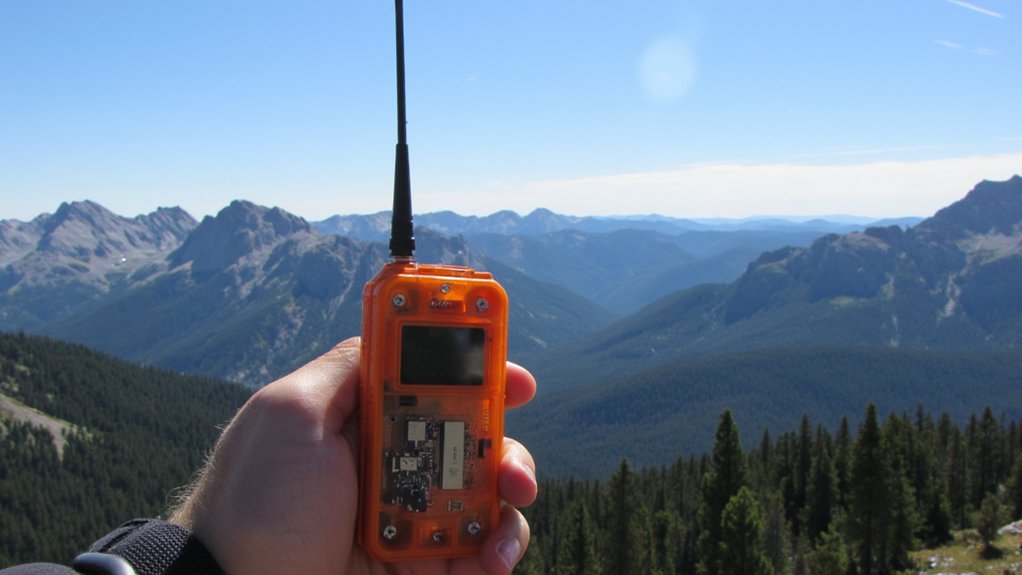
Last summer, a hiker in Montana’s Bob Marshall Wilderness pressed an SOS button and was rescued within hours, despite being 40 miles from the nearest road. I’ve spent years testing these devices in backcountry conditions, and I’ll show you exactly how they bypass cell towers to reach satellites overhead, what happens the moment you activate one, and why understanding their limitations might save your life when you’re truly off the grid.
How Satellite Communicators Differ From Cell Phones
Cell phones rely on a network of ground-based towers that dot populated areas, which means they’re practically useless once you venture beyond civilization’s reach.
I’ve learned that satellite communicators solve this problem by connecting directly to orbiting satellites instead of terrestrial towers.
When I send a message from my device, it transmits upward to satellites positioned thousands of miles above Earth.
These satellites relay my signal to ground stations, which then route it to its destination.
This system lets me communicate from anywhere on the planet, whether I’m hiking remote mountains or crossing vast deserts.
The two major networks that power these devices are Iridium vs. Globalstar, each with distinct coverage patterns and performance characteristics.
The Three Satellite Networks That Cover Remote Areas
Understanding how satellite communicators bypass cellular limitations naturally raises the question: which satellites actually handle these transmissions?
Three primary networks serve remote areas.
Iridium operates 66 satellites in low-Earth orbit, providing complete global coverage including poles.
Globalstar uses 24 satellites, covering most landmasses between 70°N and 70°S latitude but with coverage gaps.
INMARSAT maintains geostationary satellites positioned above the equator, offering reliable service between approximately 70°N and 70°S.
I’ve found Iridium delivers the most consistent performance in deep wilderness since its satellites create overlapping coverage zones, ensuring I’m never without signal regardless of location.
How Satellite Communicators Find Satellites Overhead
When I press the SOS button on my satellite communicator, the device immediately begins scanning for satellites using an integrated GPS chipset and almanac data stored in its memory.
This almanac contains orbital information about every satellite in the network, predicting their positions at any given time.
My device calculates which satellites are currently overhead and determines the best transmission window.
It then aims its antenna toward the predicted satellite location and broadcasts my emergency signal.
The entire process typically takes 30-90 seconds, depending on satellite positioning and atmospheric conditions affecting signal strength.
Similar to how rugged GPS watches use multiple positioning systems to maintain accuracy, satellite communicators rely on precise orbital calculations to establish reliable connections with overhead satellites.
How Your GPS Location Gets Transmitted to Rescuers
Once my satellite communicator establishes a connection with an overhead satellite, it packages my precise GPS coordinates into a compact data burst that typically contains latitude, longitude, altitude, and a timestamp.
The satellite relays this information to a ground station, which forwards it to a dedicated rescue coordination center.
Within minutes, search and rescue teams receive my exact position on their mapping systems.
This automated process eliminates the guesswork that plagued wilderness rescues for decades.
The entire transmission—from my device to rescuers—usually completes in under ten minutes, dramatically improving my chances of survival.
Many satellite communicators feature IPX waterproofing ratings that ensure reliable signal transmission even during rain, river crossings, or accidental submersion.
What Happens When You Press the SOS Button?
Pressing the SOS button triggers a cascade of automated emergency protocols that differ fundamentally from routine position updates.
Your device immediately transmits a distress signal containing your GPS coordinates, identification number, and timestamp to the satellite network.
This signal routes directly to International Emergency Response Coordination Center (IERCC), where certified operators monitor alerts 24/7.
They’ll attempt two-way communication through your device to assess your situation’s severity.
Simultaneously, they contact local search-and-resolve authorities in your region, providing your exact location and any details you’ve communicated.
The process typically completes within minutes of activation.
Why Some Messages Deliver Instantly and Others Take Minutes?
Message delivery speed depends on satellite visibility and network traffic at the moment you hit send.
When a satellite’s directly overhead, your message transmits immediately.
But if you’re waiting for one to orbit into range, you’ll experience delays of several minutes.
Network congestion also affects speed.
During peak hours or emergencies when multiple users transmit simultaneously, messages queue up.
Your device keeps trying until it successfully connects.
Weather rarely impacts delivery—satellites operate above atmospheric interference.
However, dense tree cover or canyon walls can block signals, forcing your communicator to wait for better positioning before transmission completes.
How Mountains, Trees, and Weather Block Your Signal
Your satellite communicator needs a clear view of the sky to function, but terrain and vegetation create physical barriers between your device and orbiting satellites.
Mountains block signals when you’re positioned on the wrong side of a ridge.
Dense tree canopy weakens transmission strength, forcing your device to work harder for connection.
Heavy rain and snow can scatter signals, though this rarely causes complete failure.
I’ve found that moving just 50 feet to an open clearing dramatically improves transmission success.
Position yourself where you can see at least 60% of the sky above you for best performance.
Battery Life in Cold Weather and Multi-Day Trips
Cold temperatures drain lithium batteries faster than any other environmental factor you’ll encounter in the backcountry.
I keep my satellite communicator inside my jacket against my body, where it stays warm and operational.
At 32°F, you’ll lose 20% capacity; at 0°F, expect 40% reduction.
For multi-day trips, I carry a compact solar panel or power bank rated for cold weather.
I also enable tracking mode only when necessary and reduce screen brightness.
Before bed, I store the device in my sleeping bag to prevent freezing overnight.
If you’re choosing a backup power source for extreme cold, consider that LiFePO4 batteries offer better thermal safety than standard lithium-ion chemistry, though they weigh slightly more.
What Satellite Communicator Subscriptions Actually Cost
Beyond the upfront hardware cost, satellite communicator services require monthly or annual subscriptions that vary dramatically based on your usage patterns.
I’ve found basic plans starting around $15 monthly for minimal messaging, while unlimited plans can exceed $100.
You’ll pay per-message fees on budget tiers—typically $0.50 per text.
Annual subscriptions offer savings if you’re committed.
Most services let you suspend plans during inactive months for $5-10, which I recommend for seasonal adventurers.
Consider your typical trip frequency and communication needs carefully.
Overestimating leads to wasted money; underestimating leaves you purchasing expensive add-on message packs mid-expedition.
Personal Locator Beacons vs. Messengers vs. Satellite Phones
Three distinct categories of satellite emergency devices dominate the wilderness communication market, each serving different needs and budgets.
Personal Locator Beacons (PLBs) are one-way distress signals with no subscription fees, ideal for emergencies only.
Satellite messengers like inReach devices offer two-way texting, tracking, and SOS capabilities with monthly subscriptions.
Satellite phones provide full voice communication but cost substantially more upfront and per minute.
I’ve found PLBs work best for minimalists who want emergency backup, messengers suit most backcountry travelers needing check-in capabilities, and satellite phones serve expedition leaders requiring extensive communication.
Conclusion
I’ve shown you how satellites orbit overhead, how signals leap across space, and how rescue teams pinpoint your exact coordinates. I’ve walked you through network coverage, battery considerations, and subscription models. Now you understand what happens when you press SOS, when mountains interfere, and when weather disrupts transmission. The choice is yours: carry a lifeline that connects you to help, or venture into wilderness hoping you’ll never need one.